Instructions for using the Liquid-Liquid Equilibrium Image Transformer:
1. Generate the Equilateral LLE curve in ChemCAD. Create a screenshot image of the diagram.
2. Crop the saved image so that the triangle points contact the sides of the image. See the example image at the bottom of this page if this is unclear.
3. Upload the cropped image to this page. If the preview is satisfactory, click "Download" to save the modified image.
Click to upload or drag and drop the diagram.
Original Tertiary Diagram
New Right-Angle Diagram
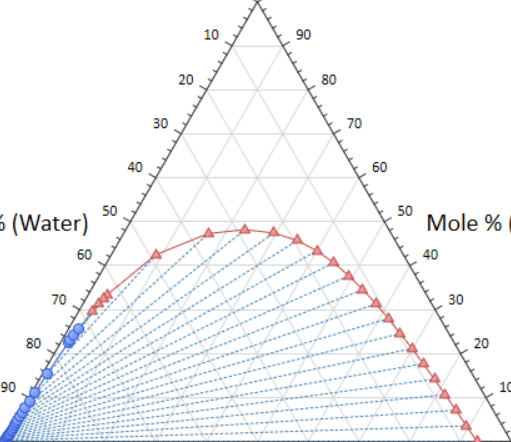
Example Cropped Image from ChemCAD. The border of the crop touches all three corners of the original diagram. Try to crop as close to the diagram border as possible for the most accurate transformation!
If you are having trouble operating the module, please check that you have JavaScript enabled on your browser. If you are still experiencing issues, please right-click, select "Inspect Element", navigate to the Console window, and e-mail CJ with the console error and your image.